How to Change Ownership of FESCO Meter?

Are you looking to update the name on your FESCO electricity bill? Whether you have recently purchased a new property, inherited a house, or changed your tenancy status, changing the ownership of your FESCO meter is a crucial step to avoid legal and billing complications.
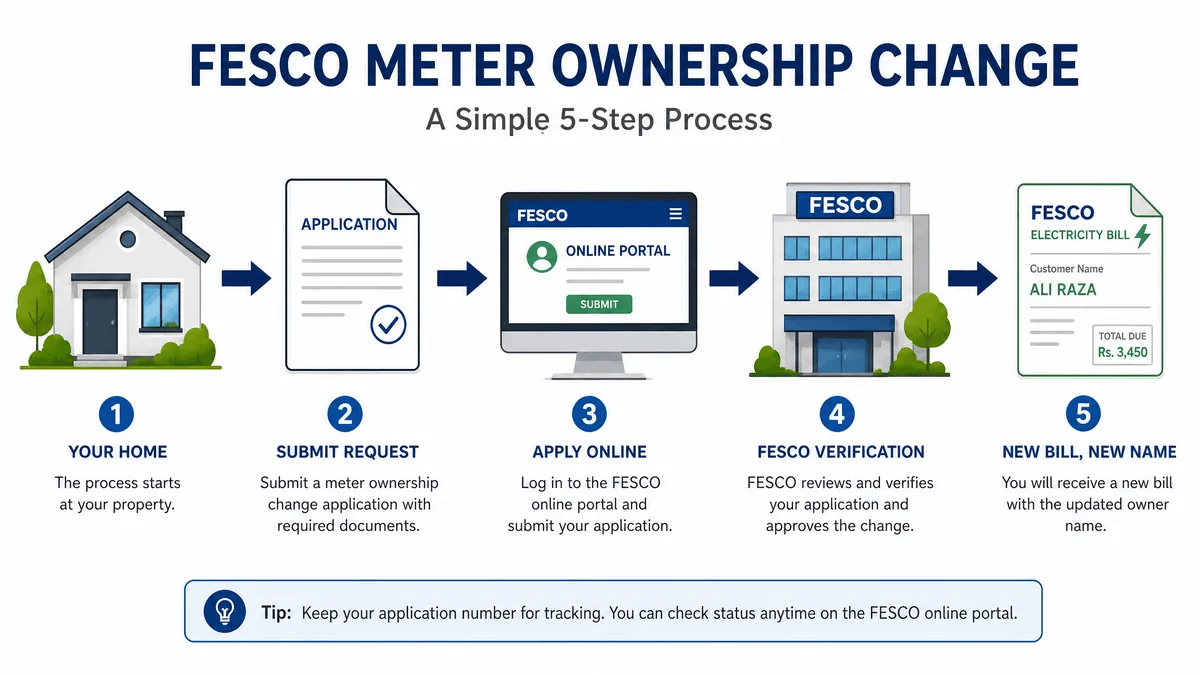
In this updated guide, we will walk you through the complete FESCO meter name change process, including both online and offline methods, required documents, and the latest fee structure for 2024-2025.
Maintaining the correct name on your utility bills is more than just a formality. It is essential for:
- Legal Proof: The bill serves as a secondary proof of residence and ownership.
- Tax Benefits: If you are a filer, having the bill in your name allows you to claim tax adjustments.
- Avoiding Dues: Ensures you are not held liable for the previous owner’s outstanding payments.
- Service Requests: FESCO only entertains requests for load extension or meter replacement from the registered owner.
Required Documents for FESCO Meter Name Change
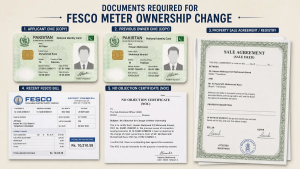
Before you begin, ensure you have the following documents ready. Missing paperwork is the most common reason for application rejection.
| Document Type | Description |
|---|---|
| Applicant's CNIC | Attested copy of the new owner's CNIC. |
| Previous Owner's CNIC | Attested copy of the current registered consumer's CNIC. |
| Ownership Proof | Registry (Sale Deed), Fard, or Allotment Letter. |
| Latest FESCO Bill | A copy of the most recent paid electricity bill. |
| Affidavit/NOC | A No Objection Certificate from the previous owner (on stamp paper). |
| Witnesses | CNIC copies of two witnesses (required for offline applications). |
| Succession Certificate | Required only in case of the death of the previous owner (Inheritance). |
Step-by-Step Process: How to Change Name on FESCO Bill
You can now choose between the traditional offline method and the modern online portal.
Method 1: Online via ENC Portal (Recommended)
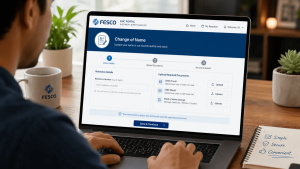
The Electricity New Connection (ENC) portal has simplified the name change process significantly.
- Visit the Portal: Go to the official ENC Website.
- Select “Change of Name”: Look for the “Change of Name/Tariff/Load” option in the sidebar.
- Fill the Form: Enter your 14-digit Reference Number and select “FESCO” as your distribution company.
- Upload Documents: Scan and upload the required documents (CNIC, Ownership proof, etc.).
- Submit: Once submitted, you will receive a tracking ID to monitor your application status.
- Demand Notice: After verification, a Demand Notice (fee) will be generated. Pay it at any designated bank.
Method 2: Offline via FESCO Sub-Division Office
If you prefer the manual method, follow these steps:
- Get the Form: Visit your nearest FESCO Sub-Division office and ask for the Name Change Application Form.
- Attach Documents: Securely attach all the attested copies mentioned in the table above.
- Submit to SDO: Submit the file to the Sub-Divisional Officer (SDO).
- Site Inspection: A FESCO representative may visit your premises to verify the meter and connection status.
- Payment: Collect the Demand Notice from the office, pay it in the bank, and submit the paid copy back to the office.
FESCO Name Transfer Fee and Timeline
| Category | Details |
|---|---|
| Processing Fee | Usually nominal (varies by connection type). |
| Security Deposit | The new owner may need to pay a fresh security deposit at current rates. |
| Processing Time (Online) | 7 to 12 Working Days. |
| Processing Time (Offline) | 15 to 20 Working Days. |
Pro Tip: Always keep a photocopy of the paid Demand Notice and the submitted application for your records.
Comparison: Online vs. Offline Method
| Feature | Online (ENC) | Offline (Office) |
|---|---|---|
| Convenience | High (Apply from home) | Low (Requires visits) |
| Speed | Faster processing | Slower due to manual handling |
| Transparency | Real-time tracking | Manual follow-ups required |
| Documentation | Digital uploads | Physical file submission |
Frequently Asked Questions (FAQs)
Can I change the FESCO meter name if there are outstanding dues?
No. All previous bills and arrears must be cleared before FESCO accepts a name change application.
Is the previous owner’s presence mandatory?
No, their presence is not required if you have an attested copy of their CNIC and a valid NOC/Affidavit on stamp paper.
How can I check my FESCO name change status?
If applied online, use your tracking ID on the ENC portal. For offline, you must visit the Sub-Division office where you submitted the file.
What happens to the old security deposit?
The old security deposit is usually adjusted or refunded to the previous owner, and the new owner pays a fresh deposit according to current NEPRA rates.
Conclusion
Updating your FESCO meter ownership is a straightforward process if you have the right documents. We recommend using the ENC portal for a faster and more transparent experience. Ensuring your electricity bill is in your name provides peace of mind and legal security for your property.
If you have any further questions regarding your FESCO online bill or name transfer, feel free to leave a comment below or contact the FESCO helpline at 118.

Hamza Bilal writes for FESCO Online Bill, sharing simple and accurate guides to help FESCO consumers check, understand, and pay their electricity bills online without any hassle.