How to Check Your FESCO Bill Online?

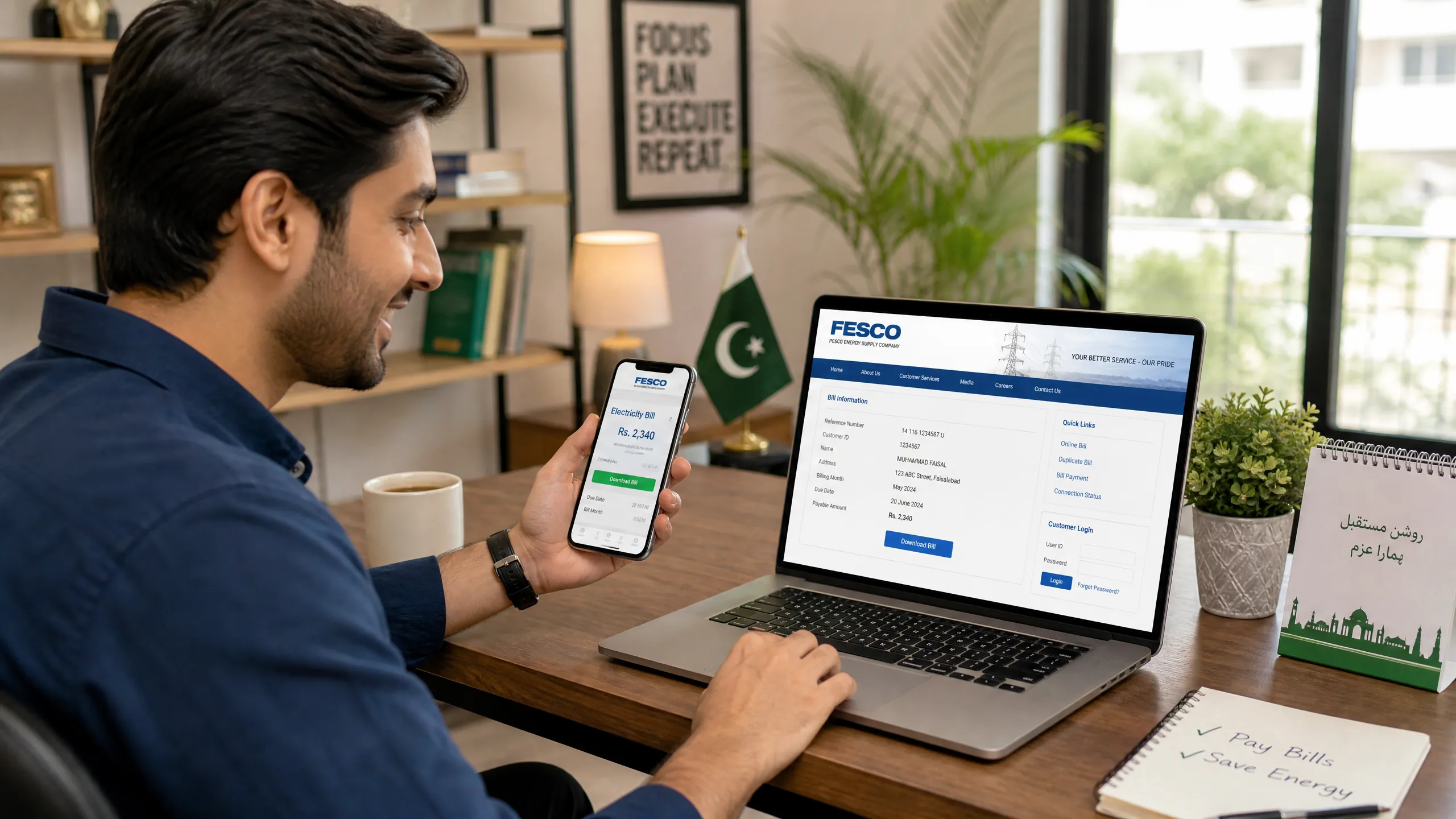
In today’s fast-paced world, managing household utilities efficiently is more important than ever. For consumers under the Faisalabad Electric Supply Company (FESCO), checking electricity bills no longer requires waiting for a physical copy or visiting a customer service center. The convenience of online bill checking has transformed how millions access their monthly statements. This comprehensive guide will walk you through the simple, secure, and swift process of checking your FESCO bill online, ensuring you stay informed and manage your payments effectively. We’ll cover everything from finding your essential reference number to understanding your bill details, with a special mention of reliable platforms like fescoonlinebills.pk.
What is FESCO?
Faisalabad Electric Supply Company (FESCO) is one of Pakistan’s largest electricity distribution companies, serving millions of customers across central Punjab. Established in 1998, FESCO plays a crucial role in powering homes, industries, and businesses in cities like Faisalabad, Jhang, Toba Tek Singh, Chiniot, Mianwali, and Sargodha. Known for its extensive network and commitment to service, FESCO continually strives to enhance customer experience, including making bill access more convenient.
Why Check Your FESCO Bill Online?
Checking your FESCO bill online offers numerous advantages over traditional methods:
- Convenience: Access your bill anytime, anywhere, from your computer or mobile device.
- Speed: Instantly view your current bill as soon as it’s generated.
- Accessibility: Ideal if you haven’t received a physical bill or need a duplicate copy.
- Accuracy: Online portals provide the most up-to-date billing information.
- Environmental Friendly: Reduces paper waste, contributing to a greener environment.
How to Check Your FESCO Bill Online (Step-by-Step Guide)
Checking your FESCO bill online is a straightforward process that primarily requires your 14-digit reference number. Follow these steps to quickly access your electricity bill:
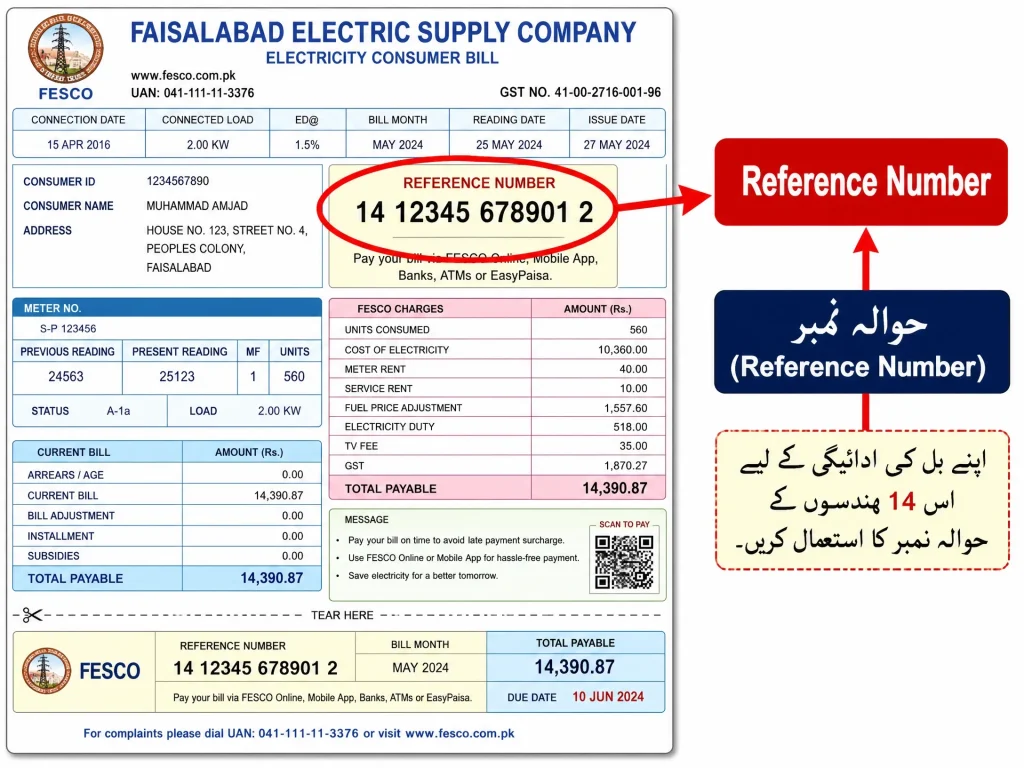
Step 1: Locate Your Reference Number
The 14-digit reference number is the most crucial piece of information needed to check your FESCO bill online. You can find this number on any previous physical copy of your FESCO electricity bill. It is usually located in the top right or left corner of the bill, clearly labeled as “Reference No.” or “حوالہ نمبر”.
Step 2: Visit a Reliable Online FESCO Bill Portal
Once you have your reference number, navigate to a trusted online platform that provides FESCO bill checking services. A highly recommended and user-friendly option is fescoonlinebills.pk.
Step 3: Enter Your Reference Number
On the website, you will find a dedicated field to enter your 14-digit reference number. Carefully type in the number without any spaces or dashes.
Step 4: View Your Bill
After entering the reference number, click on the “Check Bill” or “Submit” button. Your latest FESCO electricity bill will be displayed on your screen instantly. This digital copy is valid for all purposes, including payment.
How to Download and Print Your FESCO Bill
After viewing your FESCO bill online, you might need to download or print a duplicate copy for your records or for payment at a bank or post office. Most online portals, including fescoonlinebills.pk, offer this functionality:
- Download as PDF: Look for a “Download” or “Save as PDF” option on the displayed bill page. Clicking this will save a digital copy of your bill to your device.
- Print Directly: If you have a printer connected, select the “Print” option. This will open your browser’s print dialogue, allowing you to print a physical copy of your FESCO bill.
Receiving FESCO Bill via Email or SMS
For added convenience, FESCO and various third-party services offer options to receive your bill details directly to your email inbox or via SMS. This can help you avoid missing due dates and stay updated without actively checking online:
- Email Service: Many online platforms allow you to subscribe to a monthly email service. By providing your email address and reference number, your bill will be automatically sent to you each month.
- SMS Alert: FESCO provides an SMS bill-checking service. You can typically subscribe by sending your reference number to a designated FESCO SMS code (e.g., type ‘pitc<space><14-digit-reference-code>’ and send to ‘8334’ for some services). This allows you to receive bill details even without internet access.
How to Pay Your FESCO Bill Online
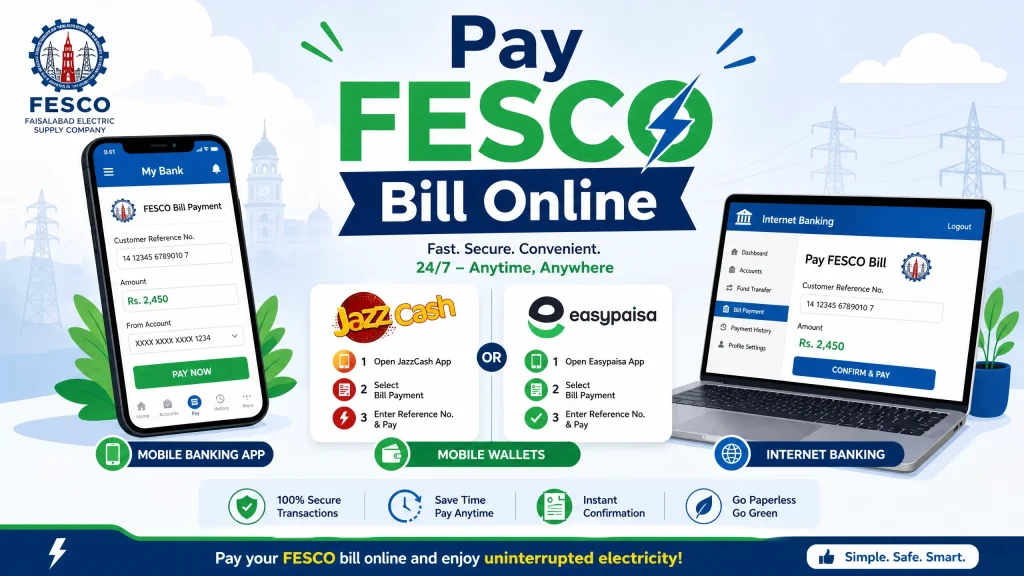
Once you’ve checked your FESCO bill online, paying it is equally convenient through various digital channels. Most banks and mobile payment platforms support FESCO bill payments:
- Banking Apps: Utilize your bank’s mobile application (e.g., HBL, Meezan, UBL) by navigating to the ‘Utility Bills’ or ‘Payments’ section, selecting FESCO, and entering your reference number.
- Mobile Wallets: Platforms like JazzCash and Easypaisa offer seamless bill payment options. Simply select ‘Electricity Bill’, choose FESCO, and input your reference number.
- Internet Banking: Most Pakistani banks provide internet banking facilities where you can pay your FESCO bill directly from your account.
Checking Old FESCO Bills and Bill History
FESCO’s online system also allows you to access your previous bill history. This feature is invaluable for tracking your monthly consumption, comparing seasonal charges, or verifying past payments:
- Online Portals: On platforms like fescoonlinebills.pk, after entering your reference number, you might find an option to view “Bill History” or “Previous Bills.” This will display a record of your past electricity statements.
- FESCO Portal Account: If you have a registered account on the official FESCO website, you can log in to access a detailed history of your bills.
Key Components of FESCO Bill
Your FESCO electricity bill contains several key components that are important to understand:
- Reference Number: Your unique 14-digit identifier.
- Consumer ID: Another identifier, sometimes 10-digit.
- Issue Date & Due Date: The date the bill was generated and the last date for payment without a late payment surcharge.
- Units Consumed (kWh): The total electricity units you have used during the billing cycle.
- Slab Rate: FESCO uses a slab-based billing system where the per-unit cost increases with higher consumption. Understanding your slab is crucial for managing costs.
- Taxes and Surcharges: Various government taxes, fuel price adjustments (FPA), and other surcharges are added to your bill.
- Arrears/Adjustments: Any outstanding amounts from previous bills or adjustments made.
- Net Payable Amount: The total amount due by the due date.
- Amount After Due Date: The increased amount payable if the bill is not paid by the due date.
FESCO Helpline and Customer Support
If you encounter any issues while checking your bill online, have questions about your statement, or need to register a complaint, FESCO offers robust customer support channels:
- Helpline Numbers: FESCO provides 24/7 customer support through dedicated helpline numbers (e.g., UAN # 080066554, Tel # 92-41-9220229) .
- SMS Complaints: You can often register complaints via SMS by sending details to a specific FESCO code (e.g., 8118).
- Official Website/CCMS: The official FESCO website usually has a Customer Complaint Management System (CCMS) where you can register and track complaints online.
Safety Tips for Online Bill Checking and Payment
While checking and paying your FESCO bill online is convenient, it’s essential to follow safety precautions:
- Use Official and Trusted Platforms: Always use official FESCO portals or reputable third-party websites like fescoonlinebills.pk for checking your bill.
- Secure Internet Connection: Ensure you are using a secure and private internet connection, especially when making online payments.
- Protect Your Reference Number: Do not share your reference number indiscriminately.
- Verify Transaction Details: Double-check all details before confirming any online payment.
- Keep Records: Save screenshots or transaction IDs of your online payments for future reference.
Conclusion
Checking your FESCO bill online has never been easier, offering unparalleled convenience and control over your electricity consumption. By utilizing reliable platforms such as fescoonlinebills.pk and understanding the key components of your bill, you can efficiently manage your electricity expenses. Embrace the digital age of bill management and take advantage of these simple steps to stay informed and avoid any last-minute hassles.

Hamza Bilal writes for FESCO Online Bill, sharing simple and accurate guides to help FESCO consumers check, understand, and pay their electricity bills online without any hassle.