How to Check if Your FESCO Bill is Paid or Not?

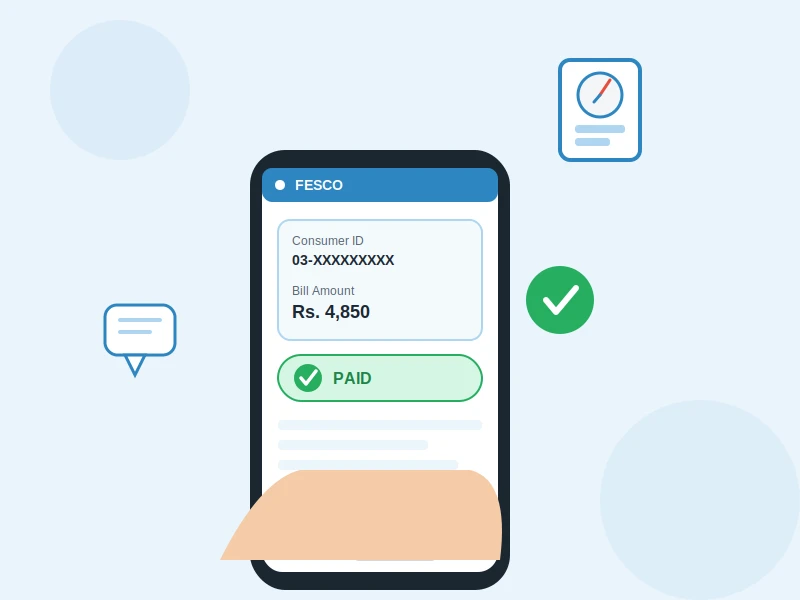
Have you recently paid your FESCO electricity bill but you’re still not sure whether the payment actually went through? Or maybe you transferred the amount online and now you’re worried about a double payment, or afraid your connection might get disconnected because the system still shows it as unpaid?
This is one of the most common concerns among Faisalabad Electric Supply Company (FESCO) consumers. The good news is that you no longer need to visit a FESCO office or stand in long queues just to confirm your bill status. In this guide, we’ll walk you through every reliable way to check your FESCO bill paid or unpaid status online, by SMS, or through your banking app — using accurate, up-to-date information.
What is FESCO?
FESCO (Faisalabad Electric Supply Company) is one of the distribution companies (DISCOs) responsible for supplying electricity to Faisalabad and its surrounding districts in Punjab, Pakistan. It operates under the regulation of NEPRA (National Electric Power Regulatory Authority) and issues monthly bills to millions of consumers.
Because FESCO serves such a large customer base, payment records can occasionally take a little time to update in the system. This delay is often the real reason a bill appears “unpaid” even after payment has been made — not an actual failed transaction.
Before You Start: What You’ll Need
To check your bill status through any method, keep one of the following ready:
- 14-digit Reference Number — printed on the left side of your printed or duplicate bill, and it changes every billing cycle.
- 10-digit Consumer ID / Customer ID — also printed on your bill, and this one stays the same every month.
If you’ve lost your old bill or never received one, don’t worry — we’ve covered that below as well.
Method 1: Check Through the Official FESCO Website
The safest and most reliable way to check your bill is through FESCO’s official website (fesco.com.pk), specifically the eServices section.
- Open fesco.com.pk in your browser.
- Go to the “eServices” or “Online Bill” section.
- Enter your 14-digit Reference Number or 10-digit Consumer ID.
- Click “View Bill” or “Check Bill.”
- Your bill will open along with a payment history section — this is where you’ll see whether the status shows “Paid” or if there’s still a due amount.
Important safety tip: Only enter your reference number or consumer ID on the official website or a platform you fully trust. Many unofficial third-party “FESCO bill check” websites carry spammy or even gambling-related ads, so it’s best to avoid entering your personal billing details on random, unverified sites.
Method 2: Check Your Bill Status via SMS
If you don’t have internet access or just want a quick answer, the SMS service works well:
- Type your 14-digit Reference Number and send it to 8119.
- Within seconds, you’ll receive a reply with your bill amount, due date, and current status.
This method is especially useful for people in remote areas or those without regular smartphone/internet access.
Method 3: Check Through Mobile Banking Apps and Wallets
Most consumers today pay their bills — and check their status — directly from mobile apps. Just enter your Consumer ID or Reference Number, and after payment, you’ll receive a transaction receipt or confirmation number, which serves as proof of successful payment:
- JazzCash
- EasyPaisa
- NayaPay
- Your bank’s own mobile banking app (HBL Mobile, UBL Digital, Bank Alfalah, Meezan Bank App, etc.)
Tip: Always save a screenshot of the transaction ID or receipt after paying. If your bill status later shows “unpaid” even though you’ve paid, this receipt will be your strongest proof — and it will save you from being charged twice.
Method 4: Confirm Directly With the FESCO Helpline
If the status is still unclear online or something doesn’t add up, contact FESCO’s customer support directly:
- UAN (Customer Contact): 118
- Email: [email protected]
- You can also visit your nearest FESCO complaint or revenue office in person.
The support staff can pull up your Consumer ID in their system and confirm immediately whether your payment has been recorded.
What to Do If Your Bill Shows “Unpaid” But You’ve Already Paid
This situation is fairly common, especially when payment was made close to the due date or through a bank/ATM. Here’s what to do:
- Wait 24–72 hours — there’s often a short delay between when a bank processes a payment and when it reflects in FESCO’s system.
- Keep your payment receipt or transaction slip safe.
- If the status still hasn’t updated after 3 days, take your receipt and contact FESCO’s helpline or visit an office.
- Do not make a second payment until the status is fully confirmed — otherwise you risk being charged twice.
Tips to Avoid Late Payment Issues
- Make it a habit to check your bill status 2–3 days after it’s issued each month.
- Pay before the due date to avoid the late payment surcharge.
- If you don’t receive a physical bill, generate a duplicate copy online or via SMS right away instead of waiting.
- Keep your mobile number registered with FESCO so you continue receiving SMS reminders and updates.
Final Thoughts
Checking whether your FESCO bill is paid or not now takes just a minute — through the official website, the SMS service (8119), or your trusted banking app. The most important habit to build is keeping your payment receipt safe, since it becomes your strongest evidence in case of any confusion.
If this issue keeps happening to you, make checking your bill status part of your monthly routine right after the bill is issued. It’ll save you time and eliminate any risk of your connection being disconnected over a payment mix-up.

Hamza Bilal writes for FESCO Online Bill, sharing simple and accurate guides to help FESCO consumers check, understand, and pay their electricity bills online without any hassle.